
1 Find your Checkin ID
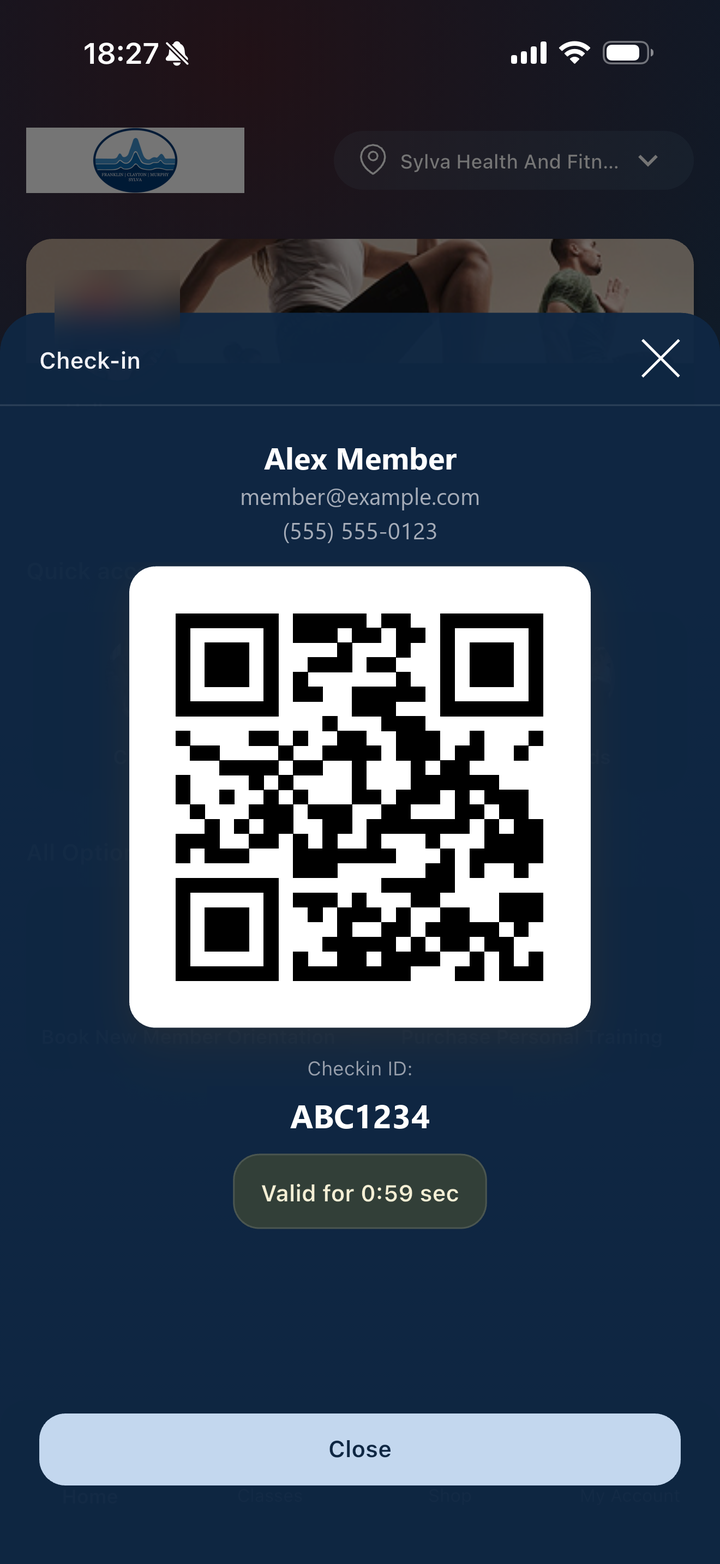
It’s in the Sylva Health & Fitness app
- Open the Sylva Health & Fitness app on your phone.
- Tap Check-in.
- Your Checkin ID is the code under the QR code, like ABC1234.
2 Request your enrollment link
Tell us where to send it
We’ll email you a secure link to set up Face Entry.
Check your email
We sent your enrollment link to
It can take a few minutes. If you don’t see it, check your spam or junk folder.
3 Finish on your phone
Scan your face, then walk in
- Open the email from Alcatraz AI, our Face Entry partner, and tap the enrollment link.
- Follow the prompts to take a quick face scan. It takes about a minute.
- Next time you visit, just look at the reader by the door.